


Phone Case DIY
4.311.24K Reviews
App Specs
- Version
- 4.9.1.1
- Updated On
- License
- Free
- Downloads
- 100,000,000+
- Developer
- CrazyLabs LTD
- Categories
- Simulation
- Platform
- Android, iOS
Screenshots
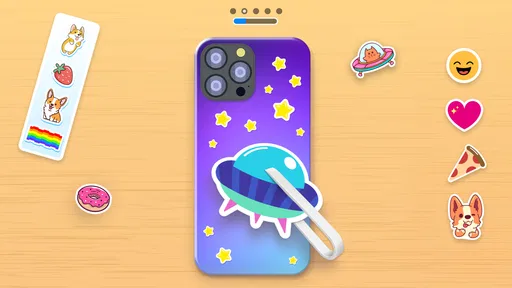
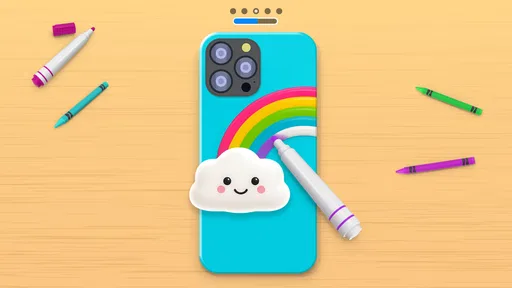
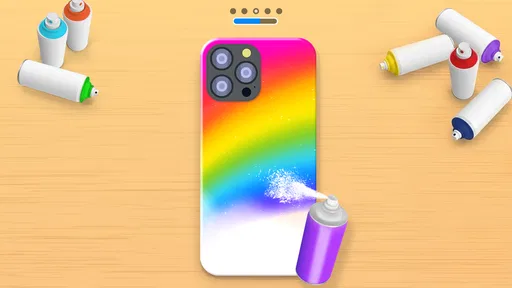
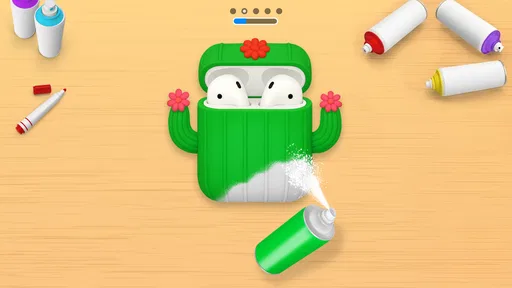
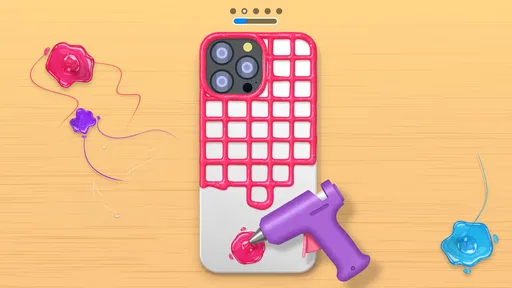
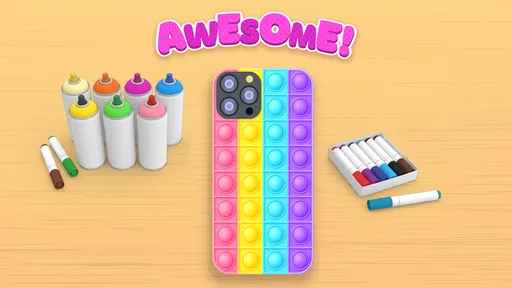
 Analysis by AppCompare
When a household has a few minutes to spare, designing something together can be an easy way to turn screen time into a small creative project. Phone Case DIY is built around that kind of hands-on play: it lets you decorate phone cases, headphones, and earbuds in a casual simulation setting. I’d treat it as a digital design activity rather than a way to order real accessories, though, because the appeal is making and experimenting on screen.
That distinction matters when you decide who should use it and how. A child can enjoy choosing colors and arranging a design, while an adult may find the same activity relaxing after a long day. The game is free to start, but it includes optional purchases, so I’d keep an eye on spending if the device is shared. It is made by CrazyLabs LTD, has an Everyone age rating, and is currently at version 4.8.3.0 for Android 7.0 and later.
A low-pressure creative activity for a shared device
The best household use I can picture is passing the device around for a short design session: one person picks a color direction, another suggests a pattern, and someone else decides where the details should go. That makes the activity feel collaborative without requiring everyone to have their own phone or to agree on a single “best” design. It also gives younger players a simple way to take part, since the goal is visual play rather than mastering a complicated simulation.
I would set expectations before handing over the device. This is a game about decorating accessories digitally, not a design tool that creates a physical case or produces a printable file. If someone expects to turn a finished screen design into a real item, they may be disappointed. For a real custom accessory, a specialist design or shopping service is a better fit; for quick, low-stakes creativity, this game is the more approachable choice.
Simple boundaries make shared play smoother
On a shared phone or tablet, I’d agree on a few basics first: whose turn it is, whether purchases are allowed, and whether anyone can change a design someone else has started. Those are ordinary household agreements, not controls I’d assume the game itself provides. Because optional in-app purchases range from $0.99 to $12.99 per item, it’s sensible to make the spending boundary clear before a child begins tapping through the game.
For a parent, the Everyone rating is a useful starting point, but it doesn’t replace checking whether the activity suits a particular child or family. I’d sit nearby the first time a younger player uses it, especially on a device where payment options are available. That lets you see how the child approaches the activity and answer questions about purchases without turning a relaxed design session into a lecture.
Who will enjoy it, and who may prefer something else
This is a good match for people who like visual customization but don’t want the learning curve of a full drawing app. It can also work well as a brief shared activity while waiting at home or during a quiet stretch of the day. If your household already enjoys picking colors, comparing styles, and making small creative choices together, the accessory theme gives the activity a clear focus instead of asking everyone to start with a blank canvas.
Worth Reading Before You Choose

Baby Panda World Brings Quick Play to Modern Phones, but Its Game Library Feels Busy

ESPN’s Live Game View Makes Following Close Games Easier

QuizzLand Review: A Good Fit for Short Trivia Breaks, Not Every Player

Basketball Stars: Multiplayer Is Fast, but Can It Recover When Matches Go Wrong?

WEBTOON Turns Phone Updates Into a Better Reading Routine

Link to Windows Runs on Shared Habits, Not Social Feeds
On the other hand, a player looking for open-ended illustration, detailed editing controls, or a practical route to making a real accessory should choose another kind of app. A general art app offers more freedom for original drawings, while a real-world customization service is more relevant if the goal is ordering a finished case. This game’s strength is its focused, approachable play; that same focus limits how useful it is for people who want a serious design workspace.
In the simulation category, I see it as a lighter, more visual alternative to games built around managing a shop, running a business, or following a longer progression. The activity is centered on the satisfying choices involved in decorating accessories, rather than on learning complex systems. That makes it easy to pick up for a short session, though players who want deeper strategy or a persistent project may find the format too contained.
Unleashing Your Creativity
When I first opened Phone Case DIY, I wasn’t sure what to expect. But wow, was I blown away by the variety of options available! This app offers a plethora of design tools that allow you to craft a phone case that truly speaks to your style. From vibrant colors to intricate patterns, the possibilities are endless.
One of my favorite features is the ability to use your own photos. Imagine sporting a phone case with a cherished memory right on it! The app makes it incredibly easy to upload images and adjust them to fit perfectly on your case. So, whether it’s a picture of your pet or a stunning landscape shot from your last vacation, you can bring it to life on your phone case.
Easy to Use, Even for Beginners
I know what you’re thinking: “I’m not exactly an artist.” But fear not! The app is super intuitive and user-friendly. You don’t need any prior design experience to create something amazing. The drag-and-drop functionality is seamless, and the app offers plenty of guidance along the way. If you’re ever stuck, there are helpful tips and tricks to get you back on track.
Another cool aspect is the community gallery. You can browse designs created by other users, which is perfect if you’re in need of some inspiration. Plus, you can share your own creations and get feedback from fellow phone case enthusiasts. It’s like a little social network for design lovers!
Materials and More
Now, let’s talk materials. Once you’ve settled on a design, the app gives you the option to choose from various case materials. Whether you’re into the sleek look of plastic or the durability of silicone, there’s something for everyone. The app also provides a detailed description of each material, so you know exactly what you’re getting.
What’s even better is that you can order your custom case directly through the app. No need to jump through hoops or visit another website. Just a few taps, and your unique case is on its way to your doorstep.
A Fun Way to Express Yourself
For me, Phone Case DIY isn’t just about creating a phone case. It’s about expressing myself in a fun and creative way. It’s like carrying a little piece of art with me wherever I go. Plus, it makes for a fantastic gift idea! Who wouldn’t love a personalized phone case made just for them?
The app encourages you to think outside the box and try new things. It’s amazing how a simple phone case can become a canvas for your creativity. And the best part? You can change it up as often as you like. Feeling inspired by the seasons or a new trend? Go ahead, design a new case!
With an average rating of 4.3 from around 910,000 ratings and over 100 million installs, it has clearly found a wide audience. I’d still judge it by what you want from a creative game: its main appeal is quick, guided decorating, not professional-grade design. If you’re curious, the free entry point makes it easy to try, while optional in-app purchases run from $0.99 to $12.99 per item. It is rated Everyone and was released on September 26, 2020.
One practical tip is to begin with a simple visual idea before exploring the available options. A limited palette—perhaps two colors and one focal image—can make a design feel intentional instead of crowded. When using a photo, I’d choose an image with a clear subject and check how it sits within the case shape; a busy background can compete with decorative details. Trying a few versions is part of the fun, and it helps you see whether you prefer a bold, graphic look or something more personal.
The gallery can help when the blank starting point feels uninspiring, but I’d use it as a source of direction rather than a template to copy. Notice how other designs balance color and detail, then adapt one idea to your own taste. In a shared session, this is also a useful way to keep coordination friendly: everyone can point to a style they like before the next person makes a choice, without needing to take over someone else’s work.
There are trade-offs to the social and customization elements. Browsing and sharing can make the game feel less solitary, but it may not suit a player who wants a private, purely offline-feeling craft activity. Likewise, the ease of arranging elements is helpful for beginners, yet it won’t satisfy someone who expects precise control comparable to a dedicated illustration program. I’d think of it as a playful design sandbox, not a substitute for a serious creative tool.
Making the most of short sessions
A realistic moment for this game is a quiet wait at home while dinner is being prepared: a child can work on a case concept, then show a parent a couple of color choices when there’s a natural pause. That works better than treating it as a long project with a required finished result. If the household shares one device, agree on a stopping point before passing it on, so the next person knows whether to continue the current idea or start fresh.
For a gift-minded player, I’d use the activity to explore what the recipient likes—favorite colors, patterns, or a meaningful photo—without assuming that the in-game design becomes a delivered product. The game’s creative value stands on its own as a way to imagine a personalized accessory. If the real goal is to buy a custom case, compare actual product options and device compatibility through a dedicated retailer instead of relying on a simulation.
At the time of writing, the game has around 11,000 written reviews alongside its broad player base. Those numbers suggest plenty of people have tried it, but they don’t tell me whether its focused format will suit a particular household. I’d use the first session to see whether the player enjoys decorating itself, rather than assuming popularity means every age or play style will click with it.
In conclusion, if you’re looking for a fun, easy, and satisfying way to personalize your tech, Phone Case DIY is definitely worth checking out. It’s a delightful blend of creativity and practicality that brings your designs to life. So why not give it a try and let your imagination run wild?
Pros
- Creative freedom with customizable designs.
- User-friendly interface for all ages.
- Wide variety of design tools available.
- In-app tutorials to guide beginners.
- Regular updates with new design elements.
Cons
- Limited free design options available.
- Some features require in-app purchases.
- Occasional lag on older devices.
- Advertisements can be intrusive.
- Lacks social sharing integration.
FAQs for Phone Case DIY
What is Phone Case DIY and how does it work?
Phone Case DIY is a creative mobile application that allows users to design and customize their own phone cases. Users can choose from a variety of materials, colors, and patterns to create unique designs. The app provides tools and templates to help users visualize their creations before ordering them.
Is Phone Case DIY available on both Android and iOS platforms?
Yes, Phone Case DIY is available for download on both Android and iOS platforms. Users can find the app on the Google Play Store for Android devices and the App Store for iOS devices. It supports a wide range of smartphones, making it accessible to many users.
Are there any in-app purchases or subscriptions required in Phone Case DIY?
While Phone Case DIY is free to download, it offers in-app purchases for additional design features, premium materials, and expedited shipping options. Users have the option to purchase these extras but can still enjoy many basic features without spending any money.
How user-friendly is the interface of Phone Case DIY?
The interface of Phone Case DIY is designed to be intuitive and user-friendly, making it easy for users of all ages to navigate. It offers a simple drag-and-drop functionality and clear instructions, ensuring a smooth experience from design to order placement.
Can I use my own photos or designs in Phone Case DIY?
Yes, Phone Case DIY allows users to upload their own photos or designs to create truly personalized phone cases. This feature enhances customization options, enabling users to showcase personal artwork, favorite images, or memorable photos on their custom cases.


